
WHILE YOU ARE WAITING
Complete the attendance form and answer all questions as completely as possible. This is what I use for attendance recording, so MAKE SURE you sign in at the start of class after logging onto your Chromebook.
https://forms.gle/iqffKqMokKZwJ9eZ7
|
April 30, 2026
- Complete the attendance form and answer all questions as completely as possible.
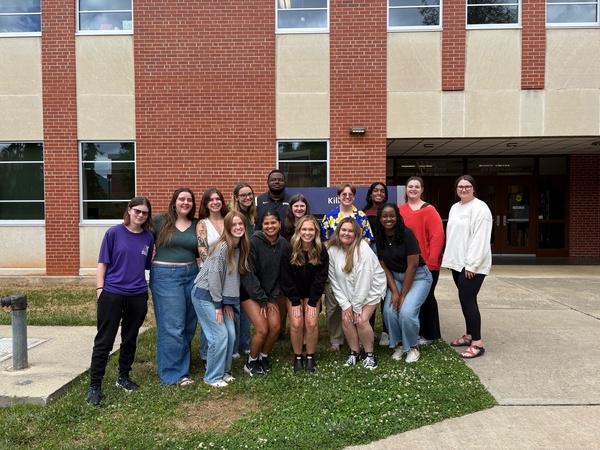
- Here's our class photo. Thanks, Caroline!
- Finish the rest of your Where Will You Go? activity from Tuesday.
- From your computer find a photo of you, you and friend(s), you and sweetheart, you and family, you and pet......
- To remove the background in that photo, you'll use https://photoscissors.com/
- Upload your image to this website and watch as it does its magic. Adjust what is removed if needed with the tools in the top menu (Edit Mask)
- Download a lo-res image for this assignment
- Go back to your destination photo, and add/insert yourself into the frame with Insert >> Image >> your computer and locate the the photoscissors image you created
- Scroll through your peers to learn about their travels!
- Play with the Sphero Indi or the Sphero Mini carts (7 minutes).
April 28, 2026
- Complete the attendance form and answer all questions as completely as possible.
- If you would like to change your mind about showing your digital story in class, respond here and I'll take the most recent submission: https://forms.gle/z91QgSJXc8jfD21u5
- Check out these examples of Oh, the Places We'll Go: https://docs.google.com/presentation/d/18MhCe3AQHaU9DUKy3NXEkF3K7HVU2e0C2aQHWZWT08w/edit?usp=sharing
- Next, go to our Shared Google slidedeck and find an empty slide in the deck. On it, insert or paste a photo of a dream destination. You can upload an image from Pixabay or other free source, or use the Insert >> Image >> Web and Stock option from your Google slide
https://docs.google.com/presentation/d/11-yjIa9Z74sC2FqO8orobUG92_x1Vl7q-jmlGvwDdwc/edit?usp=sharing
April 23, 2026
- Complete the attendance form and answer all questions as completely as possible. Before you submit your attendance, copy your response.
- If you have not yet done so, create program and video using Octostudio on your tablet
- Create a new project with at least 5 or more blocks of code.
- You can include any of the block categories you wish (Motion, Words and Sounds, Scene, Colors and Light, Control).
- Once done, save it as an .mp4 movie file to Record >> Send Video >> Files >>Name it your name >>Downloads and email it to your instructor at wcudigilit@gmail.com or to ncluke@wcu.edu.
- Common Sense Media is a non-profit organization (also non-partisan) that offer reviews and resources related to media and media literacy. Check out this list of "bests" that includes best apps, websites, and video games for kids https://www.commonsensemedia.org/game-lists. You can sort by age if you wsh. NOTE: Some of the resources are newer than others, so make sure to go to the resource directly to make sure it still exists.
April 21, 2026
- DO THIS FIRST: On your Chromebook, install the Octostudio for Chromebook app:
https://play.google.com/store/apps/details?id=edu.mit.octostudio
Let it run in the background while you do the attendance
- Complete the attendance form and answer all questions as completely as possible. Before you submit your attendance, copy your response.
- On your Chromebook, install the Octostudio for Chromebook app: https://play.google.com/store/apps/details?id=edu.mit.octostudio
- Create a new project with at least 5 or more blocks of code.
- You can include any of the block categories you wish (Motion, Words and Sounds, Scene, Colors and Light, Control).
- Once done, save it as an .mp4 movie file to Record >> Send Video >> Files >>Name it your name >>Downloads and email it to your instructor at wcudigilit@gmail.com or to ncluke@wcu.edu.
April 16, 2026
- Complete the attendance form and answer all questions as completely as possible. Before you submit your attendance, copy your response.
- Play one of these online coding games for kids:
- Blockly https://blockly.games/
Try to do as many games as possible and get up to level 5 for the game(s) you choose!
- https://www.rodocodo.com/free-coding-game-for-kids/ (4-7, 8-11 years old)
(scroll down and choose PLAY)
- https://scratch.mit.edu/projects/editor/?tutorial=getStarted (middle school, upper elementary)
(turorial video is helpful)
- More for young children: https://www.kidlocoding.com/most-popular/
- Blockly https://blockly.games/
April 14, 2026
- Complete the attendance form and answer all questions as completely as possible. Before you submit your attendance, copy your response.
- Get with your group and finish editing your PSA. NOTE: This needs to be done on your iPad not another device. There's a point to this which we'll discuss after you are done.
- Make sure your Wordwall game is posted on Padlet so your peers can play and you can get points.
https://padlet.com/wcudigilit/wordwallgamesp26
April 9, 2026
- Complete the attendance form and answer all questions as completely as possible. Before you submit your attendance, copy your response.
- Go to our class Google Classroom and complete these two assignments:
- Where in the world? Using an immersive global/travel website
- Geography Quiz
April 7, 2026
- Complete the attendance form and answer all questions as completely as possible. Before you submit your attendance, copy your response.
- Sign up for NearPod: https://nearpod.com/signup/ (free for basic tools). Search in the library for a lesson that you find useful in your classroom. Save it by choosing "Add to my lessons" and then edit it using "Edit lesson" and change what you wish to make it your own for *YOUR* students. If you use it in your placement, let us know how it went!
March 31, 2026
- Complete the attendance form and answer all questions as completely as possible. Before you submit your attendance, copy your response
- Explore Global Learning using the City Guesser Game: https://virtualvacation.us/guess?authuser=0
March 26, 2026
- Complete the attendance form and answer all questions as completely as possible. Before you submit your attendance, copy your response.
- Explore the Puppet Pals HD app on the iPad to see a different form of digital storytelling. I've used this with Kindergarten through Sixth grade. They all have loved it!
- Create a 20-30 second story and say at the beginning or end, "This is by <your name>". When you have exported it, go to your instructor to Airdrop it to her iPad.
March 3, 2026
- Complete the attendance form and answer all questions as completely as possible. Before you submit your attendance, copy your response.
- Check out these JuxtaposeJS images that show photos from then and now:
- Berlin 1945 and today
https://interaktiv.morgenpost.de/berlin-1945-2015/
- NASA image of the sun in its normal state and during a solar flare
https://bit.ly/3Wvzu48
- Tell Then and Now Image Stories with JuxtaposeJS
https://peterpappas.com/2016/09/tell-then-now-image-stories-comparative-photo-sliders-juxtaposejs.html
- Berlin 1945 and today
- Want to make one? https://juxtapose.knightlab.com/
- Use these links to the images to take it for a spin
- Use these links to the images to take it for a spin
-
 Lionel Green / Getty Images
https://paws.wcu.edu/ncluke/digital_literacy/graphics/juxtaposeimages/hongkong1920.jpg  Avalon Group via Getty Images
https://paws.wcu.edu/ncluke/digital_literacy/graphics/juxtaposeimages/hongkongtoday.jpg 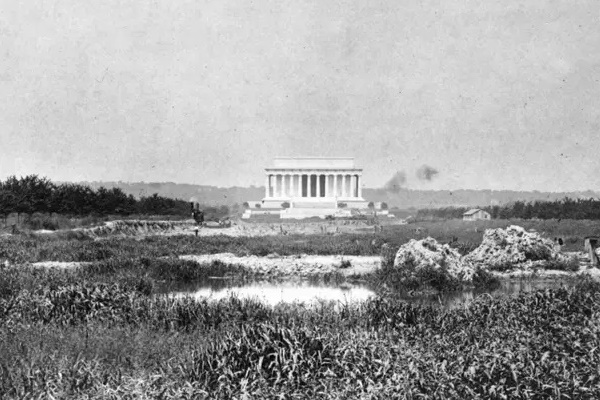 Library of Congress
https://paws.wcu.edu/ncluke/digital_literacy/graphics/juxtaposeimages/lincoln1907.jpg 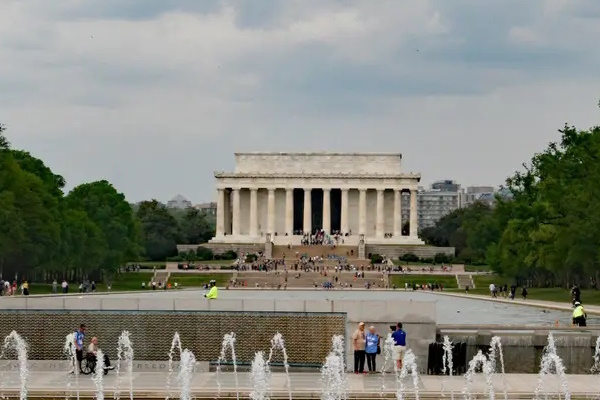 Leonardfarrell / Getty Images/iStockphoto
https://paws.wcu.edu/ncluke/digital_literacy/graphics/juxtaposeimages/lincolntoday.jpg
- Source: 50 Extremely Rare "Before And After" Historical Pictures
https://www.buzzfeed.com/daves4/fascinating-before-and-after-photos
- Tutorial: https://uviclibraries.github.io/data-visualization-and-narrative-maps/comparison.html
- Source: 50 Extremely Rare "Before And After" Historical Pictures
February 26, 2026
- Complete the attendance form and answer all questions as completely as possible. Before you submit your attendance, copy your response.
- Sign up for a WeVideo account USING YOUR CLASS GMAIL ACCOUNT using the link: (get in WeVideo admin)
- Watch this humourous digital story from a past student. She used mostly stock media from WeVideo and other sources.
-
Notice how she uses:
- Different image
- Titles
- Sound effects
- Music
- Narration (expression and tone)
This was her WeVideo 'test run'.
February 24, 2026
- Complete the attendance form and answer all questions as completely as possible.
- Check out a useful and freemium tool called Classroom Screen: https://classroomscreen.com/
Do any of your CEs use it?
- Let's play two games:
- Draw simple line drawings with help from Google: https://www.autodraw.com/
NOTE: Each image is an object that you can resize or rotate. Create a tableau with multiple images.
- Mystery Number..... (Classroom Screen) and Bazoonk https://buzzonk.com/
- Draw simple line drawings with help from Google: https://www.autodraw.com/
February 18, 2026
- Complete the attendance form and answer all questions as completely as possible.
- Interactive White Board Game: Works like the Flippity Quiz Show game and it's called Factile https://www.playfactile.com/.
- Let's test our Digital Literacy: https://www.playfactile.com/digilit17/play
- But wait, there's more:
(Tables vote on which to do, ask for a volunteer to be Game Show Host)
- Geography (2nd): https://www.playfactile.com/2ndgeography/play
- Multiplication Tables https://www.playfactile.com/multiply102
- Vocabulary https://www.playfactile.com/bhseslreview
- American History https://www.playfactile.com/projectwowhistory
- Life and Earth Science https://www.playfactile.com/milahn
- Other Interatives: These are websites that take advantage of the interactivity of an IWB.
- Mathematics Interactives:
- Teach Time or Angles? See https://www.visnos.com/demos/clock
- Interactives for K-1: https://stormedapps.co.uk/
February 16, 2026
- Complete the attendance form and answer all questions as completely as possible.
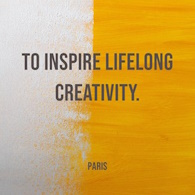
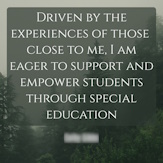
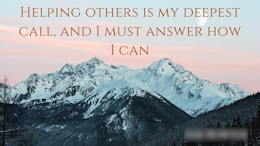
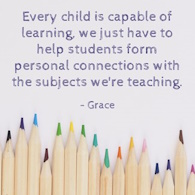
- What's Your Why?
- On your own paper, write 1-2 sentences of What's Your Why NOTE: These are YOUR words, not someone elses. Your "quote" NOT a quote from another person famous or otherwise!
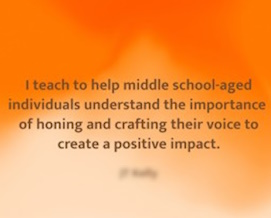
- Make a Quozio https://quozio.com/ with your why, by typing your "quote" and your name as "Who said it" (CHECK SPELLING!), and then, Create My Quote.
- Next, choose a template that fits you and/or your quote (choose a free and not premium background) and click the "Finish" button in the top right.
- You'll see your quozio image. Next, scroll down to choose DOWNLOAD and then the "Medium" option. Save it to your Chromebook files area.
- ADVANCED?: Go to the Files area on your Chromebook and drag it to Google Drive for your classroom account.
- Lastly, email it to your instructor from your Chrome account to wcudigilit@gmail.com.
- Here are some examples:
-
February 5, 2026
- Complete the attendance form and answer all questions as completely as possible.
- Listen to this song created by Dr. Chapman about our TechBuddies program (6th graders tech mentoring their 2nd grade buddies)
https://suno.com/song/22e9b1c6-c741-4a08-be1a-210581918f1a?sh=ULBDKnpEHmkRv4z6
- Now pick one more to listen to created by your peers (and one from me):
- Graphic Organizers Flow
https://suno.com/song/a94d2b7e-6d29-45b7-9165-e4c884a7fecd?sh=ReId4xzelyJic0lJ
- Building Blocks of Numbers
https://suno.com/song/19339cf0-1c12-4c57-97eb-3698f2b0c2d9?sh=eVqhkFEr3lDxJILH
- Honest Abe's Groove
https://suno.com/song/abb02bc6-f455-40b3-9767-cdc0eecf8464
- First Crochet Blanket
https://suno.com/song/5193899d-0cc7-406a-b8a4-5cf3260198a2
- Frog Crooner (prompt "write a song with a frog in a top hat singing Hello My Baby")
https://suno.com/song/986642a0-ae5d-46b8-b83d-72eb29f0b88b
Inspired by the original cartoon One Froggy Evening (1955) https://www.youtube.com/watch?v=pfnnujU1DUk
- Graphic Organizers Flow
- If you've listened, now play these two AI tools with a focus on images
- Animate an existing drawing of a someone or something with arms and legs: https://sketch.metademolab.com/
- Get practice writing detailed prompts to match the daily image, earn points: https://twinpics.ai/
January 29, 2026
- Complete the attendance form and answer all questions as completely as possible.
- Create a matching game with images and text......
- Go to Flippity https://www.flippity.net/ and choose the Matching Game - Instructions.
- Find Option 2: Google Sheets
- Copy the spreadsheet and it will open on your Chromebook (it's saved in your Google Drive by default)
- Delete the existing data in both white columns (but NOT the BLUE header) and add your own content.
- Add words in the first column and a matching image in the second column. You can use a variety of image sites but I've tested Pixabay (https://pixabay.com/) and it works well with Flippity.
- Search for your image and click to see the image (not in thumbnail view)
- Right click on the image and choose "Copy image address"
- If you use a different image site, when you have found an image you wish to use, right click to "Open image in new tab" Copy the link with the .jpg or .png at the end. If there is more text/numbers after the .jpg or .png, delete it and only use everything before the .jpg or .png
- Paste the address in the cell next to your word for the image.
- Do three to four matching pairs.
- When you're finished, go to File >> Share >> Publish to the web and click the Publish button
- Copy the web address in the center box. Close.
- Go to the bottom of the page and find "Get the link here" and paste the web address in the green box.
- Access the game in the blue box underneath.
- Share your game link here: https://padlet.com/wcudigilit/share-your-matching-game-qinedrdojfc7gyx6
WANT A CHALLENGE?
Add some more matches using image searches from other sources. MAKE SURE THE IMAGE LINK ENDS WITH .JPG OR .PNG - Once you are done, explore some of these activities created by past interns.
Matching Game with Images https://www.flippity.net/mg.php?k=1GpCe3cMvS6PnoJ2oqdajLuKAp9oHujX04WiC0rXvRjw Government (Quiz Show) https://www.flippity.net/qs.php?k=1JiRrC_8dwIGp3Fl101HagyiswbgIOArcLvy5bGfBcw4 Historical Timeline I https://www.flippity.net/tl.php?k=1wREsnOowP7Dg_Y7Rb1u9JEOIaylcxaRK5oLwtBqDsBY Historical Timeline II https://www.flippity.net/tl.php?k=11UrdKUlL5Xwq_5VXLyGFcwzSXp7b1oG5ChAOz9nij0g
January 27, 2026
- Complete the attendance form and answer all questions as completely as possible.
- Try some of the Flippity - Option 1: Quick & Easy tools/games that you can do "on the fly"
-
Games and ToolsWorksheet Type Games
- Random Name Picker (like Wheel of Names)
https://www.flippity.net/v2/RandomNamePicker.htm
- Randomizer (only 1 wheel)
https://www.flippity.net/v2/Randomizer.htm
- Manipulatives
https://www.flippity.net/v2/Manipulatives.htm
(TIP: Try out different backgrounds including the world map)
- Bingo
https://www.flippity.net/v2/Bingo.htm
Generates random printed or digital boards only
- Matching game
https://www.flippity.net/v2/MatchingGame.htm
(BOO. It's just a straight one-to-one text match)
- Word Search
https://www.flippity.net/v2/WordSearch.htm
- Word Scramble
https://www.flippity.net/v2/WordScramble.htm
- Snowman (a kinder version of hangman)
https://www.flippity.net/v2/Snowman.htm
NYT Games- Word Master (like Wordle)
https://www.flippity.net/v2/WordMaster.htm
- Group Game (like connections)
https://www.flippity.net/v2/GroupGame.htm
- Random Name Picker (like Wheel of Names)
January 22, 2026
- Complete the attendance form and answer all questions as completely as possible.
- Review your table group's Tech Standards Exploration document from Tuesday. Make any final additions or polishings that you wish as we'll share it in class today.
- Using the Wheel of Names (https://wheelofnames.com/) to create a wheel with your students names or another list of related items/people. Explore the options and if you wish, sign up to save your wheels.
Here's an example: https://wheelofnames.com/h62-vrz
January 20, 2026
- Complete the attendance form and answer all questions as completely as possible.
- Complete the syllabus acknowledgement online form
https://wcu.az1.qualtrics.com/jfe/form/SV_cNOnrpZq3BiPVcy
or
QRcode

Once those are done, go to the link below and join with your class gmail account to do this "Would You Rather?" EdPuzzle activity. This is a fun, lo-stress way to show you how this tool works.
https://edpuzzle.com/assignments/696e95315b51cfd3ae08f147/watch
January 15, 2026
- Complete the attendance form and answer all questions as completely as possible.
- Sign up for Remind: see directions here
- Check out this Google Arts & Culture game: Puzzle Party https://artsandculture.google.com/experiment/puzzle-party/EwGBPZlIzv0KRw
Want to know more about Google Arts & Culture?
January 13, 2026
- Complete the attendance form and answer all questions as completely as possible.
- Quick Write Old School: (pen/pencil and paper!)
Using your best first draft writing, write a paragraph about your perspectives on technology in education. You are encouraged to be honest and share your true opinion and to make this your best writing. These are *your* ideas in your authentic voice. - Once you have done all of these things, check out this online tool and explore it (aka play a bit) while all of our class colleagues catch up. https://thisissand.com/
- Want to take a screen shot on a Chromebook? Go to the bottom right of your screen and locate the Screen Capture options to take a part of the screen or all. The image will be saved in your Chrombook files area.
See: https://support.google.com/chromebook/answer/10474268?hl=en
or
watch this adorable short video from a little boy telling you how to find the tool options https://www.youtube.com/watch?v=IBCaLvmOffo - ADVANCED: Using your class gmail, email the screen snap to yourself OR copy it to your class Google Drive