
Return to listing
Using Games for Learning |
April 14, 2026
- Log into a Chromebook and complete WYAW from http://bit.ly/digilit
- READINGS:
- 6 Things We're Getting Wrong About Tech Integration
https://www.edutopia.org/article/common-edtech-mistakes-how-schools-can-avoid
- 5 Essential Tech Talks to Have With Students
https://www.edutopia.org/article/technology-topics-students-should-understand
- 2025 "Best" Lists In One Place! Larry Ferlazzo
https://larryferlazzo.edublogs.org/2025/12/28/all-my-ed-related-end-of-year-2025-best-lists-in-one-place/
- PSA Collaborative Video (iPads)
In your small group of three, complete the PSA plan/script on your storyboard. Next, use your storyboard to create the PSA using the WeVideo iPad app. Follow the directions on your group notes document to complete the project. TURN UP THE VOLUME
- Chrome Extensions: To continue our exploration of web 2.0 tools related to collections or suites of tools, let's look at tools you can embed in your Chrome browser. These are helper apps that you can add directly into your browser. Check some of these out by installing them into your Chrome browser. You must install the two required and one other that you choose and pin them to your browser bar.
- Go to the Chrome Web Store and search through the options. Find one you like.
- Click on the link to the extension
- Click the blue "Add to Chrome" button and then again the "Add extension"
- Manage your extensions using the icon in the top right corner
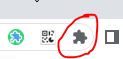
- Find your extension and choose to pin it so you can access from your browser bar
- INSTALL: Grammar & Spell Checker: https://chromewebstore.google.com/detail/ai-grammar-checker-paraph/oldceeleldhonbafppcapldpdifcinji
- INSTALL: Customize your YouTube viewing experience for your student with https://unhook.app/ (Choose Chrome option)
- OPTIONAL: Better Campus (formerly Better Canvas)
https://chromewebstore.google.com/detail/bettercampus-prev-betterc/cndibmoanboadcifjkjbdpjgfedanolh
- OPTIONAL: Screencastify - screen recorder (Dr. Perkins' fav)
https://chrome.google.com/webstore/detail/screencastify-screen-vide/mmeijimgabbpbgpdklnllpncmdofkcpn
- OPTIONAL: One Click Extensions Manager
https://chromewebstore.google.com/detail/one-click-extensions-mana/pbgjpgbpljobkekbhnnmlikbbfhbhmem
- Find other Extensions at: https://chrome.google.com/webstore/category/extensions or use the tiny rainbow icon in the top left of your browser bar
- Assessment and Games: Options with Technology: Some tools we've used....
- Kahoot (formative assessment)
- Padlet (diagnostic, formative,
- Whiteboard.fi (online Whiteboards)
- Flippity Games
- Gathering data in Google Forms and viewing it in Google Sheets.
- Using Google Forms as a quiz in Google Classroom
- Table Talk: On your vintage whiteboard, list the ups/downs, joys/sorrow, pros/cons of gamification.
- Some additional tools to explore and create with that are game-based but may lend themselves to formative assessment.
- ANOTHER APPROACH TO GAMIFICATION: Collaborative iPad Activity The 4 Cs.
- Find the Goosechase app on your tablet and as a guest, use the code: 8PJ1D0
- All team members should be involved!
- When shooting video MAKE SURE TO TURN UP THE VOLUME on your tabler and don't stand too far away to be heard
- If your evidence is a photo, ADD A CAPTION. If your evidence is a video SPEAK LOUDLY AND GET CLOSE
- Try to do as many missions as possible and you can check your progress in the Activity Feed
- Enter the game as a guest and choose a team (see chart below).
- Explore the other tools in the table above to see if any might be useful in creating games for your students.
OTHERS?
| Game Creation Tools | Finished Games to Play | Assessment-Focused |
| That Quiz With account - student data.https://www.thatquiz.org/ Example: Fractions |
||
| Genially (Canva interface) https://genially.com/ Example: Healthy Sorting |
Boddle https://www.boddlelearning.com/ More about Boddle |
Wizer https://app.wizer.me/ Example: Figurative language |
| Factile (Jeopardy) https://www.playfactile.com/ Example: K-1 |
PBS Games https://pbskids.org/games |
Wayground (formerly Quizizz) https://wayground.com/ Example: Colonial Times |
| Slides with Friends https://slideswith.com/ Example: Preview |
||
| Gimkit https://www.gimkit.com/ Example: Solar System |
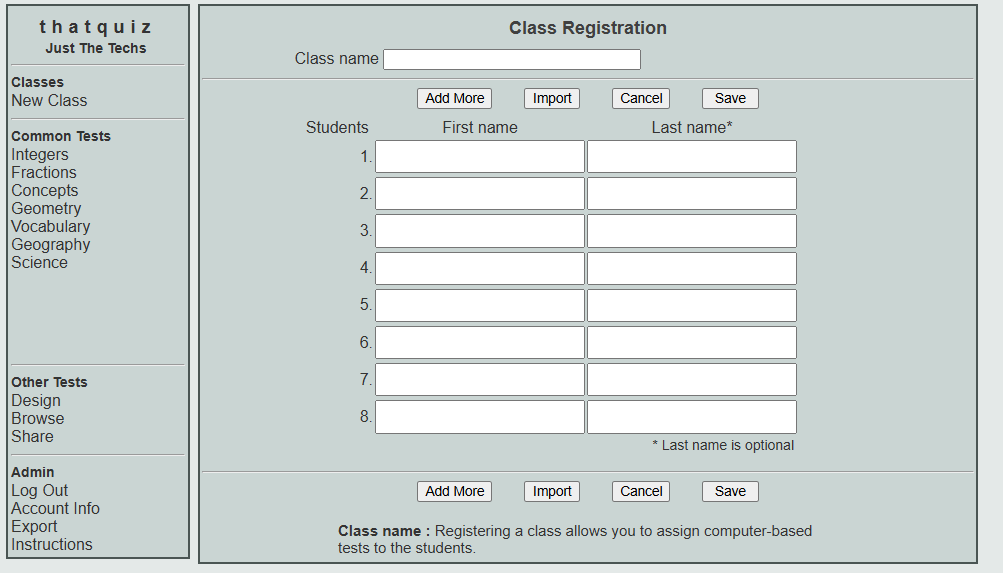
Table Topper GROUP 1: Cabin Home GROUP 2: Clingmans Dome
GROUP 3: Mt.LeConte
GROUP 4: Smokys Bear
RESOURCES
- The Best Quiz and Game Show Apps for Classrooms
https://www.commonsense.org/education/best-in-class/the-best-quiz-and-game-show-apps-for-classrooms
- 25 Useful Digital Assessment Tools for Teachers (Formative, Summative, and More)
https://www.weareteachers.com/best-tech-tools-for-student-assessment/
- 75 digital tools and apps teachers can use to support formative assessment in the classroom
https://www.nwea.org/blog/2024/75-digital-tools-apps-teachers-use-to-support-classroom-formative-assessment/