
Return to listing
Using Games for Learning |
April 9, 2026
- Log into a Chromebook and complete WYAW from http://bit.ly/digilit
- READINGS:
- 6 Things We're Getting Wrong About Tech Integration
https://www.edutopia.org/article/common-edtech-mistakes-how-schools-can-avoid
- 5 Essential Tech Talks to Have With Students
https://www.edutopia.org/article/technology-topics-students-should-understand
- 2025 "Best" Lists In One Place! Larry Ferlazzo
https://larryferlazzo.edublogs.org/2025/12/28/all-my-ed-related-end-of-year-2025-best-lists-in-one-place/
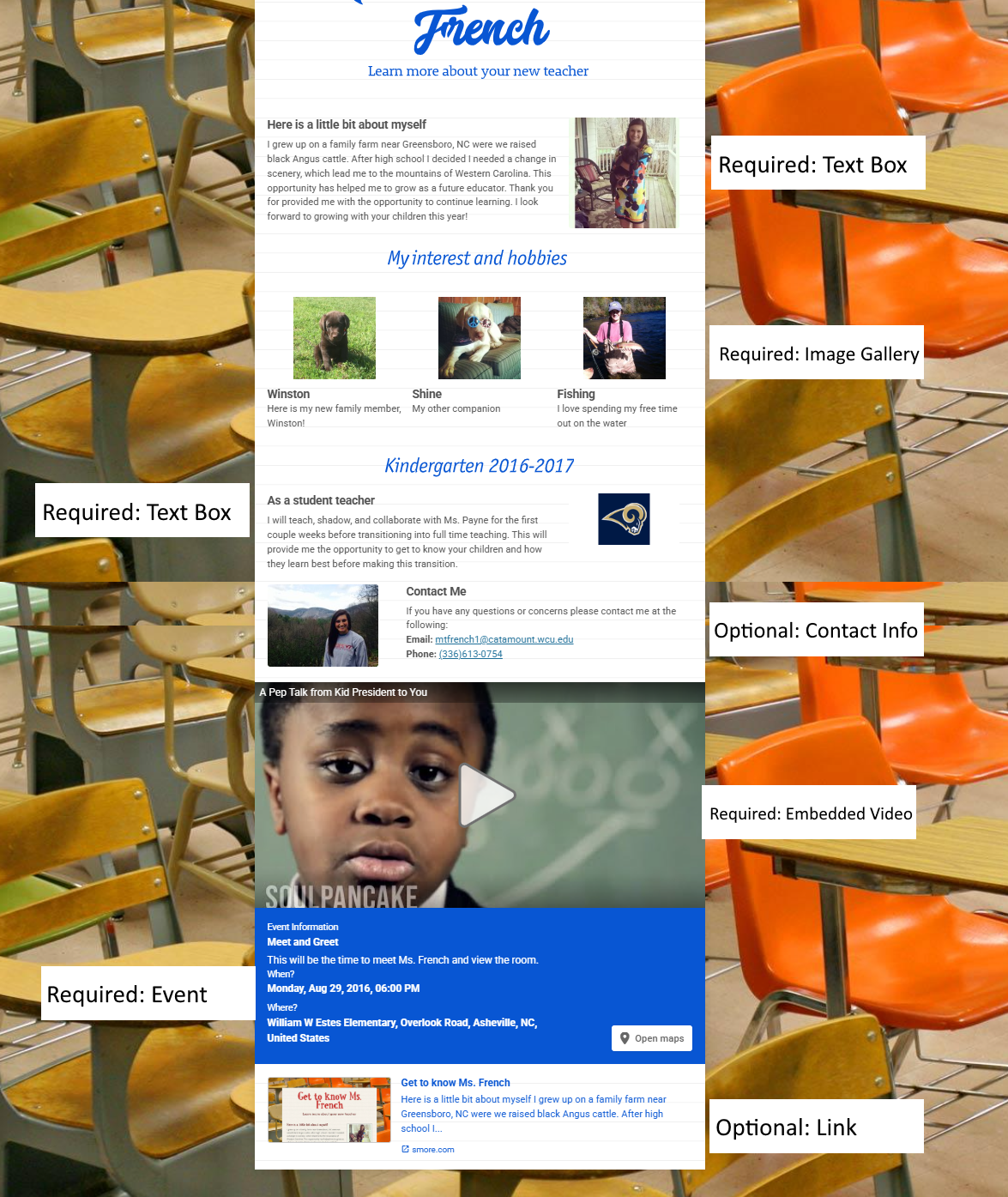
- SMORE REVISTED: Here are some examples from past students. This may be a great way to introduce yourself to your kiddos in the Spring for Internship!
- To introduce yourself:
- https://www.smore.com/m6xt5-meet-ms-white Ashlee
- https://www.smore.com/bvab8 Taylor
- https://www.smore.com/9q0z2 James
- https://www.smore.com/vd9nj Hannah
- https://www.smore.com/ctx23-meet-ms-o-dwyer Ashlee
- https://www.smore.com/e14rc-welcome-to-our-2nd-grade-class Bailey
- https://www.smore.com/wxt6m-meet-miss-teryn Teryn
- For international outreach and information: https://www.smore.com/mv0y3-kenya-bound
- To share or promote your organization: https://www.smore.com/xeb30-let-s-have-a-parade
- It can be useful for personal events as well https://www.smore.com/33zxf
- FINAL SMORE MUST INCLUDE ALL OF THE FOLLOWING FOR FULL CREDIT:
- Relevant text that is polished and grammatically correct;
- At least 2 text blocks (with text only or with images)
__ Text #1
__ Text #2
- One two or three image gallery
- 1 embedded video
- 1 event
- Listing of sources (url is fine) at the bottom of the flyer/newsletter using a text block
- PSA Collaborative Video (iPads)
In your small group of three, complete the PSA plan/script on your storyboard. Next, use your storyboard to create the PSA using the WeVideo iPad app. Follow the directions on your group notes document to complete the project. TURN UP THE VOLUME
- Chrome Extensions: To continue our exploration of web 2.0 tools related to collections or suites of tools, let's look at tools you can embed in your Chrome browser. These are helper apps that you can add directly into your browser. Check some of these out by installing them into your Chrome browser. You must install the two required and one other that you choose and pin them to your browser bar.
- Go to the Chrome Web Store and search through the options. Find one you like.
- Click on the link to the extension
- Click the blue "Add to Chrome" button and then again the "Add extension"
- Manage your extensions using the icon in the top right corner
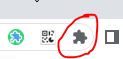
- Find your extension and choose to pin it so you can access from your browser bar
- INSTALL: Grammar & Spell Checker: https://chromewebstore.google.com/detail/ai-grammar-checker-paraph/oldceeleldhonbafppcapldpdifcinji
- INSTALL: Customize your YouTube viewing experience for your student with https://unhook.app/ (Choose Chrome option)
- OPTIONAL: Better Campus (formerly Better Canvas)
https://chromewebstore.google.com/detail/bettercampus-prev-betterc/cndibmoanboadcifjkjbdpjgfedanolh
- OPTIONAL: Screencastify - screen recorder (Dr. Perkins' fav)
https://chrome.google.com/webstore/detail/screencastify-screen-vide/mmeijimgabbpbgpdklnllpncmdofkcpn
- OPTIONAL: One Click Extensions Manager
https://chromewebstore.google.com/detail/one-click-extensions-mana/pbgjpgbpljobkekbhnnmlikbbfhbhmem
- Find other Extensions at: https://chrome.google.com/webstore/category/extensions or use the tiny rainbow icon in the top left of your browser bar
- Assessment and Games: Options with Technology: Some tools we've used....
- Kahoot (formative assessment)
- Padlet (diagnostic, formative,
- Whiteboard.fi (online Whiteboards)
- Flippity Games
- Gathering data in Google Forms and viewing it in Google Sheets.
- Using Google Forms as a quiz in Google Classroom
- Table Talk: On your vintage whiteboard, list the ups/downs, joys/sorrow, pros/cons of gamification.
- Some additional tools to explore and create with that are game-based but may lend themselves to formative assessment.
OTHERS?
| Game Creation Tools | Finished Games to Play | Assessment-Focused |
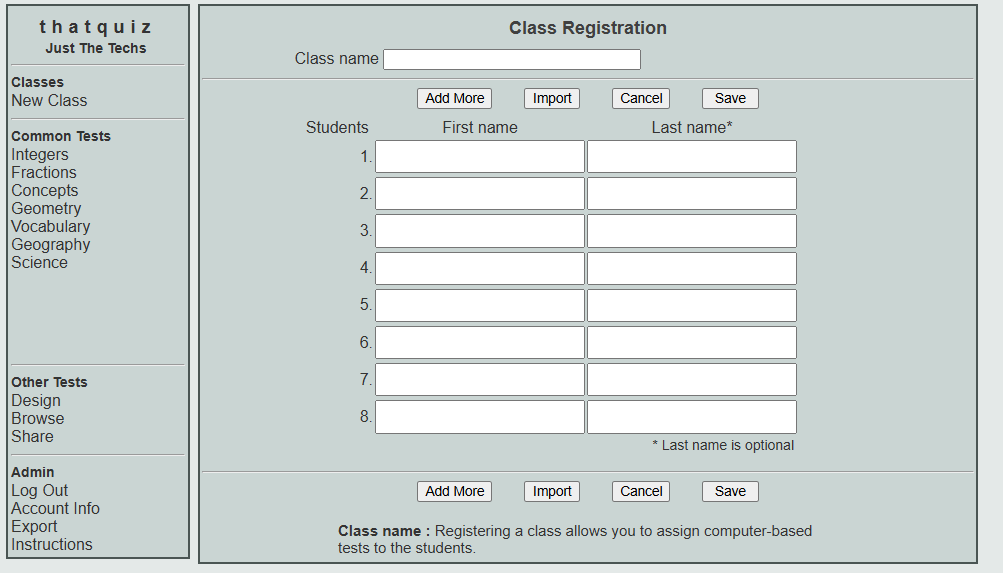
| That Quiz With account - student data.https://www.thatquiz.org/ Example: Fractions |
||
| Genially (Canva interface) https://genially.com/ Example: Healthy Sorting |
Boddle https://www.boddlelearning.com/ More about Boddle |
Wizer https://app.wizer.me/ Example: Figurative language |
| Factile (Jeopardy) https://www.playfactile.com/ Example: K-1 |
PBS Games https://pbskids.org/games |
Wayground (formerly Quizizz) https://wayground.com/ Example: Colonial Times |
| Slides with Friends https://slideswith.com/ Example: Preview |
||
| Gimkit https://www.gimkit.com/ Example: Solar System |
STUDIO TIME
- Set up a free account with Wordwall and create a game that you could use in your classroom. Share it on Padlet so your peers can play and you can get points.
https://padlet.com/wcudigilit/wordwallgamesp26
- Explore the other tools in the table above to see if any might be useful in creating games for your students.
RESOURCES
- The Best Quiz and Game Show Apps for Classrooms
https://www.commonsense.org/education/best-in-class/the-best-quiz-and-game-show-apps-for-classrooms
- 25 Useful Digital Assessment Tools for Teachers (Formative, Summative, and More)
https://www.weareteachers.com/best-tech-tools-for-student-assessment/
- 75 digital tools and apps teachers can use to support formative assessment in the classroom
https://www.nwea.org/blog/2024/75-digital-tools-apps-teachers-use-to-support-classroom-formative-assessment/
What the Research/Practice Sez.......
BENEFITS OF GAMIFICATION
- Increases engagement and motivation:
- Makes learning fun and interactive by using game mechanics like points, badges, and leaderboards.
- Boosts confidence and intrinsic motivation.
- Improves learning outcomes and retention:
- Promotes active learning and helps students retain information.
- Provides immediate feedback, allowing students to learn from mistakes.
- Develops essential skills:
- Encourages critical thinking and problem-solving .
- Fosters collaboration and teamwork when students work together in a team.
- Teaches a healthy approach to competition in a low-stakes way (gracious winner, being a good sport, it's OK not to win)
- Supports personalized learning (individual games)
- Allows students to learn at their own pace and focus on areas where they need improvement.
- Helps students see their progress and set personal goals.